| What It Does |
| The widget plots geographic information extracted from post content and metadata onto a clickable heatmap. |
| Sources of location data: |
- Geo-tags: Shared directly from posts (e.g., from Twitter or Instagram if a user shares their location).
- Text-based mentions: Recognizes mentions of geographic names (cities, provinces, districts) within the body of the post.
|
Note: Location markers are color-coded and scaled based on buzz volume and clusterizations. 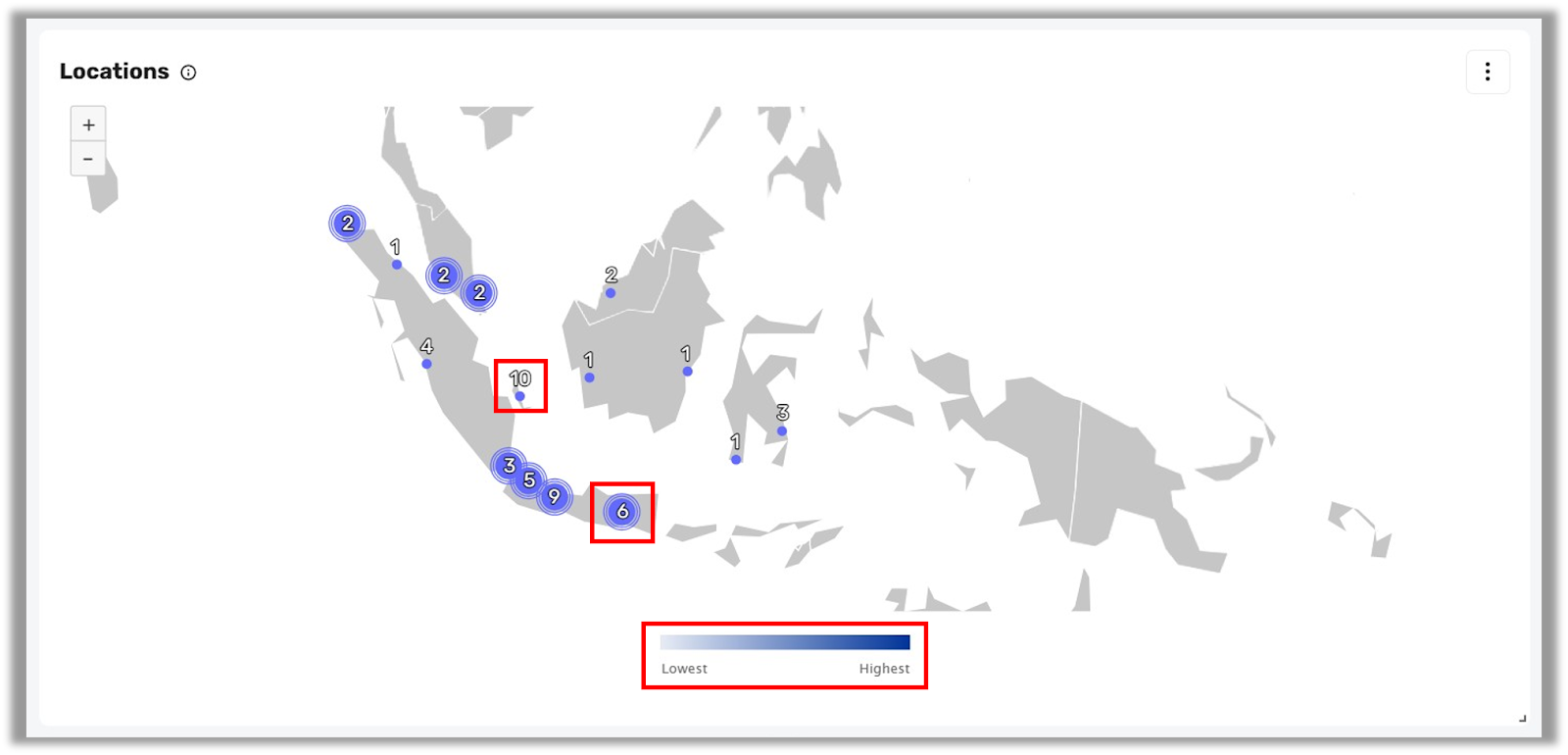
|
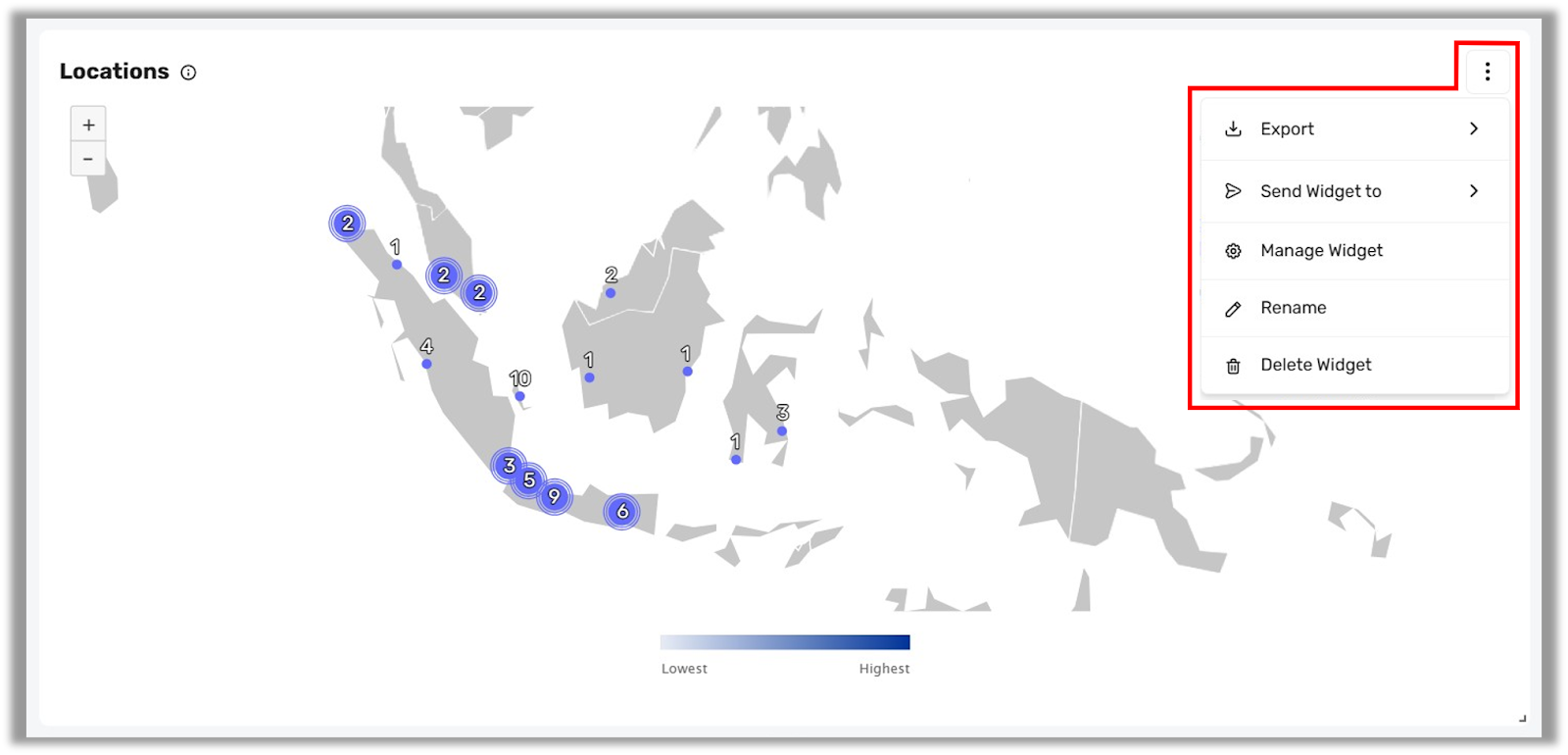
| You can modify or manage any widget by clicking the kebab menu (⋮) next to it. From this menu, you can: |
- Export the widget in XLS, CSV, PNG, JPG, or PDF formats
- Send Widget via email or WhatsApp
- Manage Widget to update the widget configuration or data source
- Rename the widget
- Delete the widget
|
 |
| |
| Options & Metrics |
- Buzz: The number of posts or mentions originating from each location.
- Visualizations: The data is visualized as an interactive map that allows zooming in to see province, city, or regional-level breakdowns.
|
| |
| Channels Applicable |
 |
| |
| Use Cases |
| Here’s how the Locations Widget can drive impact for your campaign: |
| Create Region-Specific Content |
| The Locations Widget empowers you to develop content strategies that resonate with specific geographic audiences. By identifying where your conversations are happening, you can tailor messages, creatives, and offers that feel hyper-relevant to users in those areas. |
| Here’s how to make the most of this insight: |
- Spot Local Trends Early
For example, if the widget shows a spike in mentions from Bandung around a specific product or issue, you can quickly craft localized responses, community engagement posts, or promotions that address that trend before it spreads wider. - Feature Regional Influencers or Testimonials
Knowing where buzz is concentrated allows you to spotlight content from local creators or customers, building trust and authenticity in that region. - Align with Local Events or Moments
Sync your content calendar with regional events, holidays, or city-specific happenings. For example, if you're seeing traffic from Surabaya, you might tie your posts to local festivals or community programs. - Create Location-Driven Campaign Variants
Run separate creatives for each high-activity city. Messaging tailored to "Hello Jakarta!" or "Bandung Favorites!" tends to perform better than generic national messaging. - Enhance Customer Engagement with Regional Relevance
When replying to comments or user-generated content, you can acknowledge their city or province directly—making the brand feel more personable and locally grounded.
|
| Analyze Your Audience's Demographics |
| The Locations Widget helps you uncover geographic patterns that inform broader demographic insights. By understanding where your audience is concentrated, you can start to infer lifestyle trends, digital behavior, and platform preferences that influence your campaign strategy. |
| Here’s how to maximize that insight: |
- Differentiate Urban vs. Rural Behavior
If your data shows high buzz from urban areas like Jakarta or Surabaya, you might prioritize fast-paced, mobile-friendly content. Conversely, spikes in rural provinces could signal opportunities for education-driven messaging or alternate distribution channels. - Tailor Platform Choices by Region
Urban users may engage more via Instagram or TikTok, while users in other regions may lean toward Facebook or YouTube. Let your geo-data influence where and how you show up. - Understand Language & Cultural Nuance
Regional insights can help localize language tone or dialect, ensuring you resonate more effectively with each group. For example, urban Gen Z audiences might respond better to informal slang than other groups.
|
| Identify New Geographic Areas to Target |
| The widget is also a valuable tool for business expansion. By tracking where interest is growing organically—even in places you haven’t previously targeted—you can make smarter marketing and sales decisions. |
| Here’s how to take action: |
- Spot Unexpected Buzz
You might discover that mentions from Yogyakarta or Medan are increasing, even without active campaigns there. That could indicate latent interest or unmet demand. - Prioritize Regional Rollouts
Use this data to guide the order of your regional activations or store launches. Areas with growing organic traction may yield faster ROI when backed by paid media. - Localize Entry Campaigns
For regions showing early signs of buzz, prepare launch strategies tailored to local values and needs—perhaps including regional languages, influencers, or exclusive promos. - Build a Case for Budget Reallocation
If your dashboard shows declining mentions in some areas and rapid growth in others, use the data to justify shifting campaign spend for better results.
|
