We’re excited to bring you the latest feature enhancements and improvements designed to optimize your workflow, data management, and sentiment analysis capabilities. This month’s updates focus on greater customization, better historical data access, and improved sentiment accuracy, empowering you with more control and deeper insights.
Let’s explore!
| 🚀 New Features to Explore |
|
Drag & Drop Dashboard Order
|
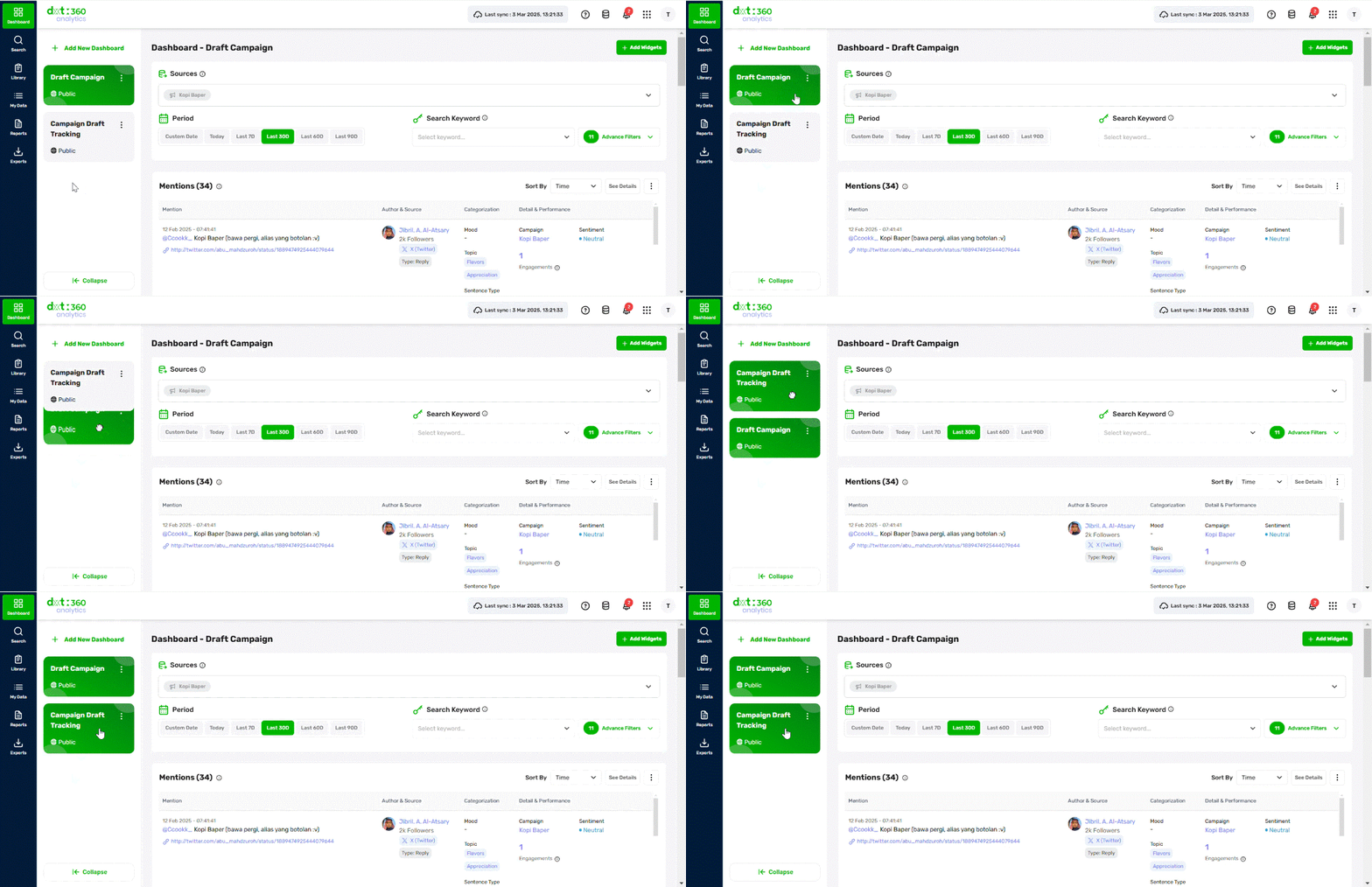 |
| This feature enhances user customization, allowing all roles to effortlessly rearrange dashboard cards through a simple drag-and-drop function. This update ensures that you can personalize their dashboard layout according to their preferences, with the system automatically saving the last selected order for future sessions. |
|
Key Benefits:
- Full Customization – You can freely arrange dashboard cards to prioritize key insights.
- Persistent Layout – The dashboard retains the last saved order, ensuring a consistent experience across sessions.
- User-Specific Preferences – The arrangement is stored at the user level, meaning each user sees their personalized layout.
- Seamless Interaction – Hovering over a dashboard card activates a grab-hand cursor, making it intuitive to move items.
|
| |
| Custom File Naming for Generated Raw Data |
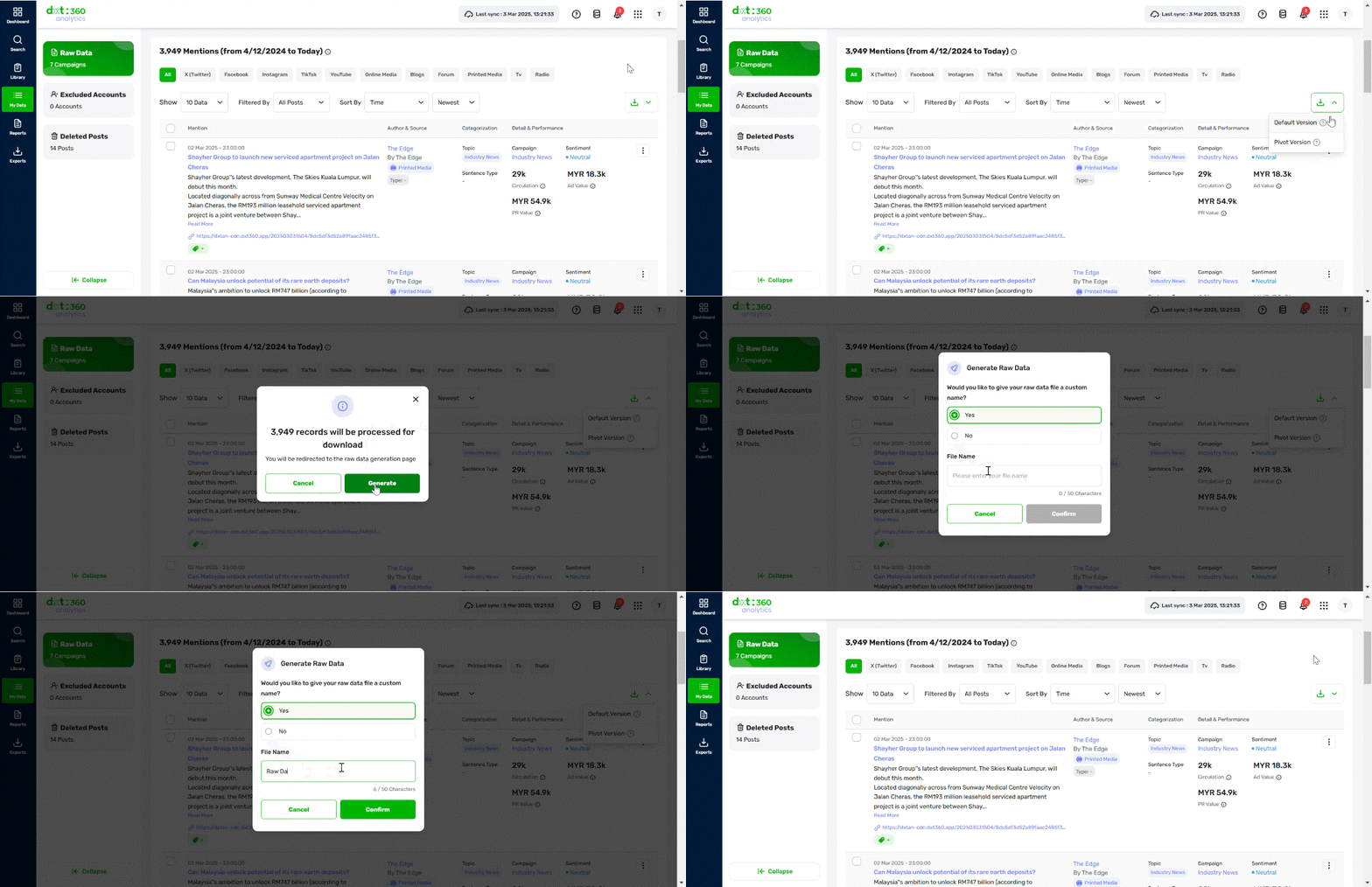 |
| You can now customize file names when generating raw data, making it more organized and accessible. |
|
Key Benefits:
- Personalized File Naming – You can define a custom name for their generated raw data files.
- Pre-Filled Naming Options – A confirmation pop-up allows you to either rename the file or proceed with a system-generated name.
- Real-Time Validation – The system prevents the use of restricted characters to ensure compatibility across platforms.
- Duplicate Handling – If a file with the same name exists, the system automatically appends a numeric counter (e.g., Report Name → Report Name 1).
- Consistent File Retrieval – The downloaded file retains the assigned name, ensuring uniformity between stored and downloaded reports.
|
| |
| 🔧 Improvements & Changes |
| Sentiment Accuracy Enhancement (Bahasa Indonesia) |
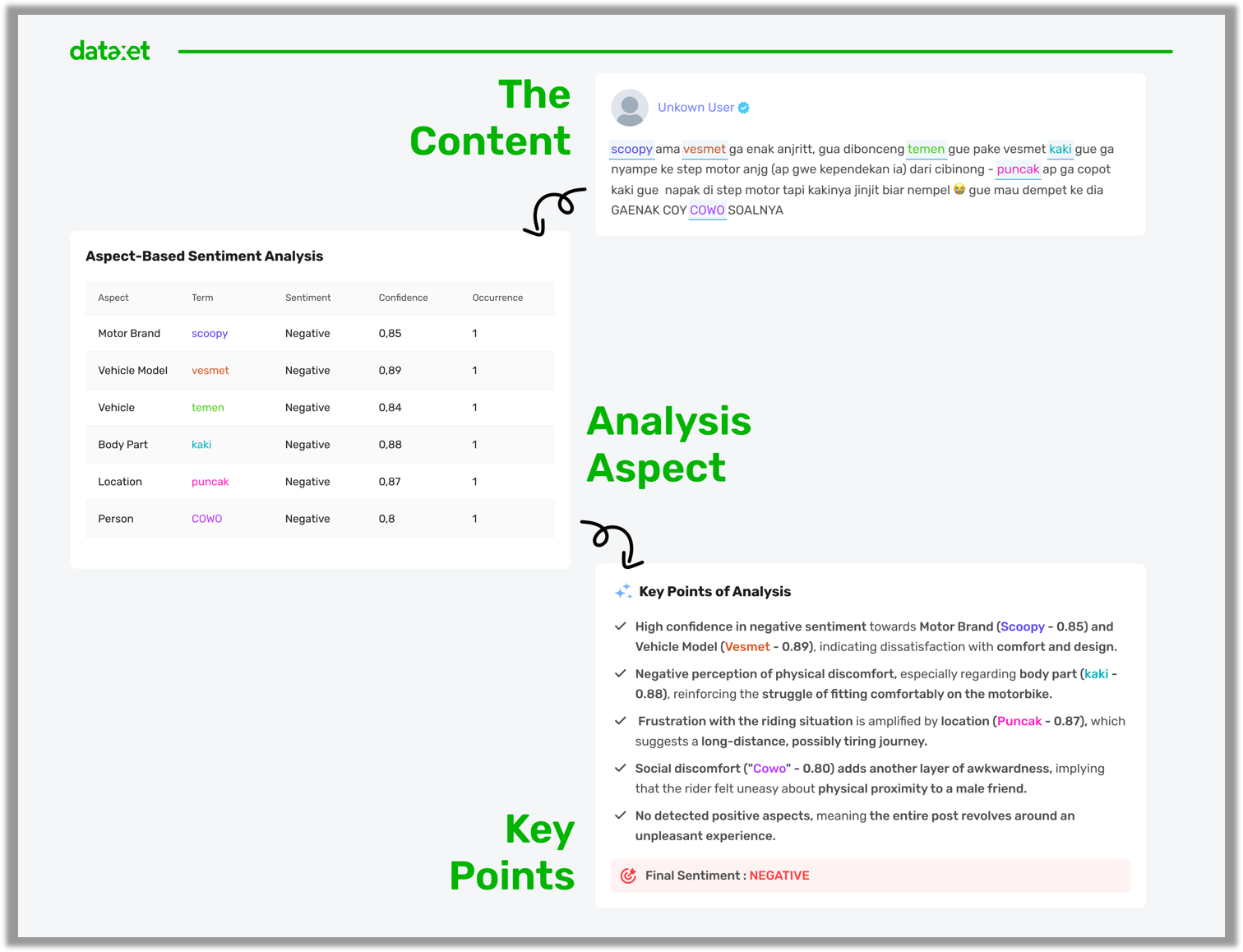 |
| Our AI-based sentiment analysis, DXTAB Model 2 for Bahasa Indonesia content, now covers 16 industries. This enhancement ensures more precise sentiment classification, better aspect-based analysis, and industry-specific insights. |
|
Key Enhancements:
- Broader Industry Coverage – Now supports 16 industries, including Finance, Tech, Banking, Insurance, Property, Entertainment, and more.
- More Accurate Sentiment Classification – Enhanced deep learning models for faster and more precise sentiment analysis.
- Improved Aspect Detection – The model now better identifies key aspects within a text and associates them with relevant sentiment scores.
- Enhanced Emoji Sentiment Recognition – Detects sentiment conveyed through emojis, improving contextual understanding in online conversations.
|
